# How to Enroll a Challenge?
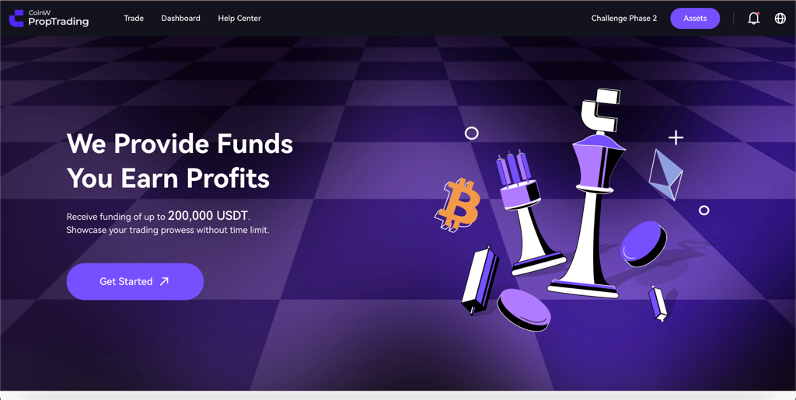
Log in to PropW. After logging in, click on the "*Get Started*" button on the Homepage. This will redirect you to the Challenge purchase screen.
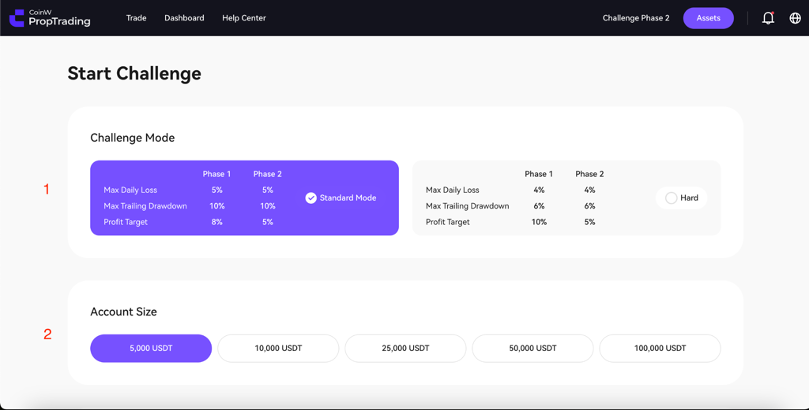
Then, you will be able to successfully view the challenge packages. In the section labeled as "1" in the image below, select your Challenge mode. Choose either "*Standard Mode*" or "*Hard Mode*".
Next, select the account size you want to use from the area marked with "2". In "*Standard Mode*", you can choose an account size from $5,000 to $100,000. In "*Hard Mode*," you can choose from $10,000 to $200,000. Select the account you desire.
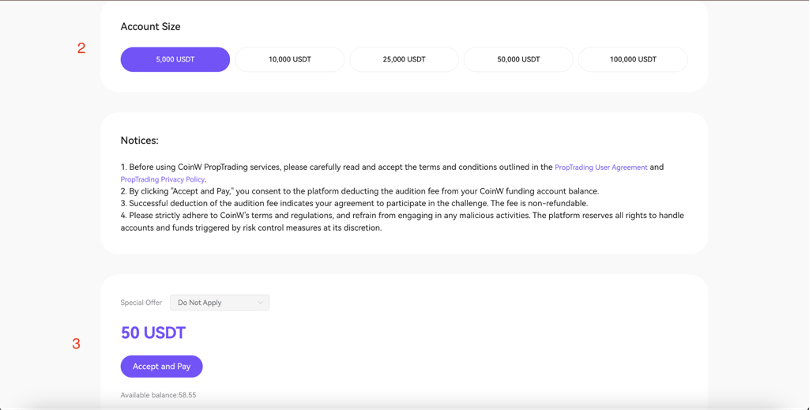
After selecting the account size and Challenge type, scroll down the page. After scrolling down, in the section marked as "3" in the image below, you can see the fee required for the relevant account and your current account balance.
To enroll in the Challenge, please click the "*Accept & Pay*" button. The relevant account balance will be automatically deducted from the USDT in your CoinW USDT wallet, and the account will be able for trading. Congratulations!
---
# Agent Instructions: Querying This Documentation
If you need additional information that is not directly available in this page, you can query the documentation dynamically by asking a question.
Perform an HTTP GET request on the current page URL with the `ask` query parameter:
```
GET https://docs.propw.com/documentation/getting-started/how-to-enroll-a-challenge.md?ask=
```
The question should be specific, self-contained, and written in natural language.
The response will contain a direct answer to the question and relevant excerpts and sources from the documentation.
Use this mechanism when the answer is not explicitly present in the current page, you need clarification or additional context, or you want to retrieve related documentation sections.