> For the complete documentation index, see [llms.txt](https://docs.propw.com/llms.txt). Markdown versions of documentation pages are available by appending `.md` to page URLs; this page is available as [Markdown](https://docs.propw.com/announcement/announcement-zh/propw-jing-cai-hui-gu/publish-your-docs-57.md).
# 公告:PropW 多账户购买功能现已上线
亲爱的 PropW 用户,
我们很高兴宣布 PropW 的多账户购买功能正式上线。此改进将通过提供更灵活的资金管理选项,大幅提升您的交易体验。
主要功能:
支持最多同时管理 5 个挑战账户
便捷的账户切换,实现无缝多账户交易
**用户指南:**
如果您已购买第一个挑战并希望添加更多账户,请按照以下步骤操作:
在 PropW 主页上点击“开始使用”,然后选择“开始新挑战”
 在方案选择页面,选择您想要的挑战套餐(可多次选择相同套餐)\
确保您的 CoinW 账户有足够余额以完成支付\
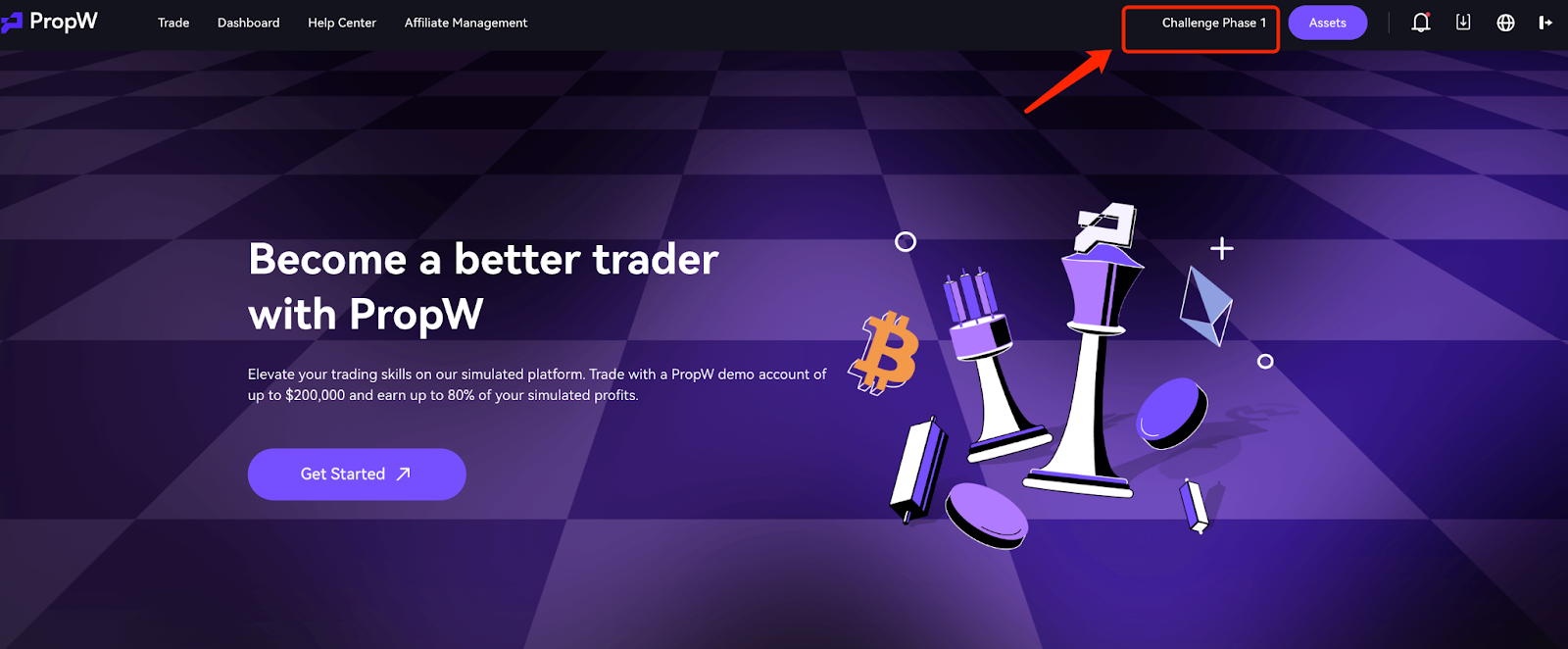 购买成功后,点击“切换账户”按钮以查看并管理您所有的账户
 要切换到其他用于交易的账户,只需点击“切换”
 重要说明:
多账户规则:
在挑战阶段,多个账户可同时操作
实盘交易阶段仅允许 1 个活跃账户
若多个账户通过挑战,将按完成时间进入审核队列
排队中的账户将被标记为“待激活”
账户管理:
挑战失败的账户或实盘账户可以重新注册
如果实盘账户被冻结,您必须先重新激活该账户,才能启用排队中的账户
每个 PropW 账户的数据相互隔离——仅显示当前账户的数据
支付政策:
所有费用将从您的 CoinW 主账户扣除
购买前请确保余额充足
\
\
\
PropW 始终致力于提供卓越的交易体验。如您遇到任何问题,请联系客户支持团队。
PropW 团队
---
# Agent Instructions
This documentation is published with GitBook. GitBook is the documentation platform designed so that both humans and AI agents can read, navigate, and reason over technical content effectively. Learn more at gitbook.com.
## Querying This Documentation
If you need additional information that is not directly available in this page, you can query the documentation dynamically by asking a question.
Perform an HTTP GET request on the current page URL with the `ask` query parameter, and the optional `goal` query parameter:
```
GET https://docs.propw.com/announcement/announcement-zh/propw-jing-cai-hui-gu/publish-your-docs-57.md?ask=&goal=
```
`ask` is the immediate question: it should be specific, self-contained, and written in natural language.
`goal` is optional and describes the broader end goal you are ultimately trying to accomplish on behalf of the user. GitBook uses it to tailor the answer towards what is most useful for that goal.
The response will contain a direct answer to the question and relevant excerpts and sources from the documentation.
Use this mechanism when the answer is not explicitly present in the current page, you need clarification or additional context, or you want to retrieve related documentation sections.
重要说明:
多账户规则:
在挑战阶段,多个账户可同时操作
实盘交易阶段仅允许 1 个活跃账户
若多个账户通过挑战,将按完成时间进入审核队列
排队中的账户将被标记为“待激活”
账户管理:
挑战失败的账户或实盘账户可以重新注册
如果实盘账户被冻结,您必须先重新激活该账户,才能启用排队中的账户
每个 PropW 账户的数据相互隔离——仅显示当前账户的数据
支付政策:
所有费用将从您的 CoinW 主账户扣除
购买前请确保余额充足
\
\
\
PropW 始终致力于提供卓越的交易体验。如您遇到任何问题,请联系客户支持团队。
PropW 团队
---
# Agent Instructions
This documentation is published with GitBook. GitBook is the documentation platform designed so that both humans and AI agents can read, navigate, and reason over technical content effectively. Learn more at gitbook.com.
## Querying This Documentation
If you need additional information that is not directly available in this page, you can query the documentation dynamically by asking a question.
Perform an HTTP GET request on the current page URL with the `ask` query parameter, and the optional `goal` query parameter:
```
GET https://docs.propw.com/announcement/announcement-zh/propw-jing-cai-hui-gu/publish-your-docs-57.md?ask=&goal=
```
`ask` is the immediate question: it should be specific, self-contained, and written in natural language.
`goal` is optional and describes the broader end goal you are ultimately trying to accomplish on behalf of the user. GitBook uses it to tailor the answer towards what is most useful for that goal.
The response will contain a direct answer to the question and relevant excerpts and sources from the documentation.
Use this mechanism when the answer is not explicitly present in the current page, you need clarification or additional context, or you want to retrieve related documentation sections.