> For the complete documentation index, see [llms.txt](https://docs.propw.com/llms.txt). Markdown versions of documentation pages are available by appending `.md` to page URLs; this page is available as [Markdown](https://docs.propw.com/announcement/announcement-ja/propwnohairaito/publish-your-docs-57.md).
# お知らせ:PropWの複数口座購入機能が公開
親愛なるPropWユーザーの皆様、
PropWのマルチアカウント購入機能の正式リリースをお知らせします。この機能強化により、資金管理の柔軟性が向上し、取引体験が大幅に改善されます。
主な機能:
最大5つのチャレンジアカウントを同時にサポート
シームレスなマルチアカウント取引のための便利なアカウント切り替え
**ユーザーガイド:**
既に最初のチャレンジを購入済みで、さらにアカウントを追加したい場合は、次の手順に従ってください:
PropWのホームページで「Get Started」をクリックし、「Start a New Challenge」を選択します
 プラン選択ページで希望のチャレンジパッケージを選択します(同じパッケージを複数回選択できます)\
支払いを完了するために、CoinWアカウントの残高が十分にあることを確認してください\
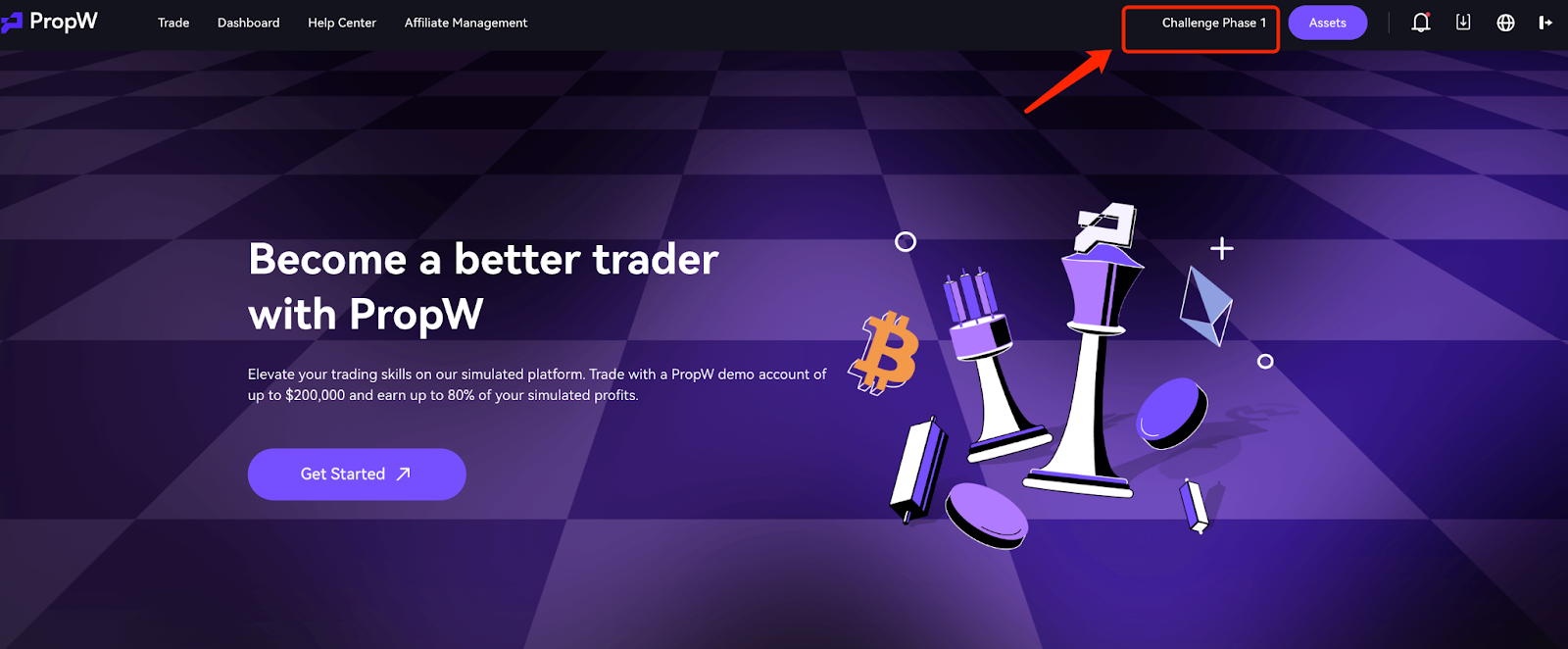 購入が成功したら、「Switch Account」ボタンをクリックして、すべてのアカウントを表示および管理します
 取引する別のアカウントに切り替えるには、単に「Switch」をクリックしてください
 重要な注意事項:
マルチアカウント規則:
チャレンジ期間中は複数のアカウントを同時に運用できます
実運用フェーズではアクティブなアカウントは1つのみ許可されます
複数のアカウントがチャレンジに合格した場合、完了時間に基づいて承認キューに入ります
キューに入ったアカウントは「Pending Activation」と表示されます
アカウント管理:
チャレンジに失敗したアカウントや実運用アカウントは再登録できます
実運用アカウントが凍結された場合、キューに入っているアカウントを有効にする前に凍結を解除する必要があります
各PropWアカウントのデータは分離されており、現在のアカウントのデータのみが表示されます
支払いポリシー:
すべての手数料はCoinWメインアカウントから差し引かれます
購入前に十分な残高があることを確認してください
\
\
\
PropWは引き続き優れた取引体験を提供することに尽力します。問題が発生した場合は、カスタマーサポートチームにお問い合わせください。
PropWチーム
---
# Agent Instructions
This documentation is published with GitBook. GitBook is the documentation platform designed so that both humans and AI agents can read, navigate, and reason over technical content effectively. Learn more at gitbook.com.
## Querying This Documentation
If you need additional information that is not directly available in this page, you can query the documentation dynamically by asking a question.
Perform an HTTP GET request on the current page URL with the `ask` query parameter, and the optional `goal` query parameter:
```
GET https://docs.propw.com/announcement/announcement-ja/propwnohairaito/publish-your-docs-57.md?ask=&goal=
```
`ask` is the immediate question: it should be specific, self-contained, and written in natural language.
`goal` is optional and describes the broader end goal you are ultimately trying to accomplish on behalf of the user. GitBook uses it to tailor the answer towards what is most useful for that goal.
The response will contain a direct answer to the question and relevant excerpts and sources from the documentation.
Use this mechanism when the answer is not explicitly present in the current page, you need clarification or additional context, or you want to retrieve related documentation sections.
重要な注意事項:
マルチアカウント規則:
チャレンジ期間中は複数のアカウントを同時に運用できます
実運用フェーズではアクティブなアカウントは1つのみ許可されます
複数のアカウントがチャレンジに合格した場合、完了時間に基づいて承認キューに入ります
キューに入ったアカウントは「Pending Activation」と表示されます
アカウント管理:
チャレンジに失敗したアカウントや実運用アカウントは再登録できます
実運用アカウントが凍結された場合、キューに入っているアカウントを有効にする前に凍結を解除する必要があります
各PropWアカウントのデータは分離されており、現在のアカウントのデータのみが表示されます
支払いポリシー:
すべての手数料はCoinWメインアカウントから差し引かれます
購入前に十分な残高があることを確認してください
\
\
\
PropWは引き続き優れた取引体験を提供することに尽力します。問題が発生した場合は、カスタマーサポートチームにお問い合わせください。
PropWチーム
---
# Agent Instructions
This documentation is published with GitBook. GitBook is the documentation platform designed so that both humans and AI agents can read, navigate, and reason over technical content effectively. Learn more at gitbook.com.
## Querying This Documentation
If you need additional information that is not directly available in this page, you can query the documentation dynamically by asking a question.
Perform an HTTP GET request on the current page URL with the `ask` query parameter, and the optional `goal` query parameter:
```
GET https://docs.propw.com/announcement/announcement-ja/propwnohairaito/publish-your-docs-57.md?ask=&goal=
```
`ask` is the immediate question: it should be specific, self-contained, and written in natural language.
`goal` is optional and describes the broader end goal you are ultimately trying to accomplish on behalf of the user. GitBook uses it to tailor the answer towards what is most useful for that goal.
The response will contain a direct answer to the question and relevant excerpts and sources from the documentation.
Use this mechanism when the answer is not explicitly present in the current page, you need clarification or additional context, or you want to retrieve related documentation sections.